AI Batch Background Remover with Folder List and Output Folder
A whole folder of photos loses its background in one run, and every result lands in the output folder as a PNG with transparency or a JPG with color.
MKGpics AI BATCH PHOTO BACKGROUND REMOVER is built for series. Put single images or a complete folder into the list, choose the output folder and start the batch. The AI works on your own computer, there is no subscription, and no running costs arise.

A bulk background remover AI like this one works in three parts. The photos go into a list, the AI separates the subject from the background in every image, and the finished files appear in the output folder. You choose between three AI profiles, can crop to the object, pick PNG or JPG and follow original and result in the preview.
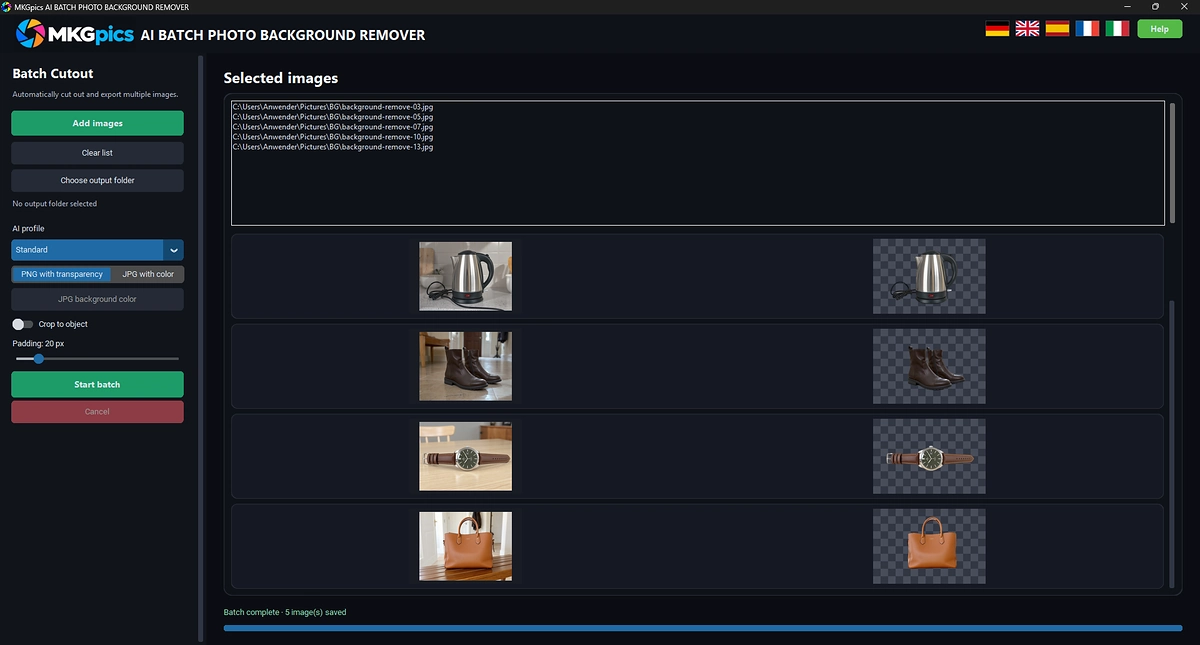
AI batch background remover with image list and output folder for whole folders.
Functions of the AI Batch Background Remover
- Remove the background from whole folders of photos in one run
- Add images through a dialog; pick one photo and the program offers to load the entire folder
- List sorted by file name, with the numbers in the names in the right order
- Empty the list and load new images whenever no run is active
- Three AI profiles for different subjects: Standard, Fine details and Clean edges
- Standard is balanced for most subjects
- Fine details holds on to hair, fur and thin structures
- Clean edges gives products and objects firm contours
- Alpha matting refines the soft transitions at the edges in every profile
- Crop to the object with an adjustable padding, 20 pixels by default
- Output as PNG with transparency or as JPG with a freely chosen background color, white by default
- File names end with the suffix _cutout
- Preview of original and result for each finished image
- Progress bar with counter, the current image is marked in the list
- Cancel stops after the current image, all images saved so far stay in the output folder
- Report at the end of the run for images the program did not process
- Button to open the output folder after the run
- The folder holding the originals cannot be chosen as output folder, so the originals stay untouched
- Opens PNG, JPG, JPEG, WebP and BMP
- User interface available in German, English, Spanish, French and Italian
- The cutout AI is powered by local Python libraries and adds no AI costs
- Runs entirely on your own PC without upload or cloud
- Free of subscriptions and running costs
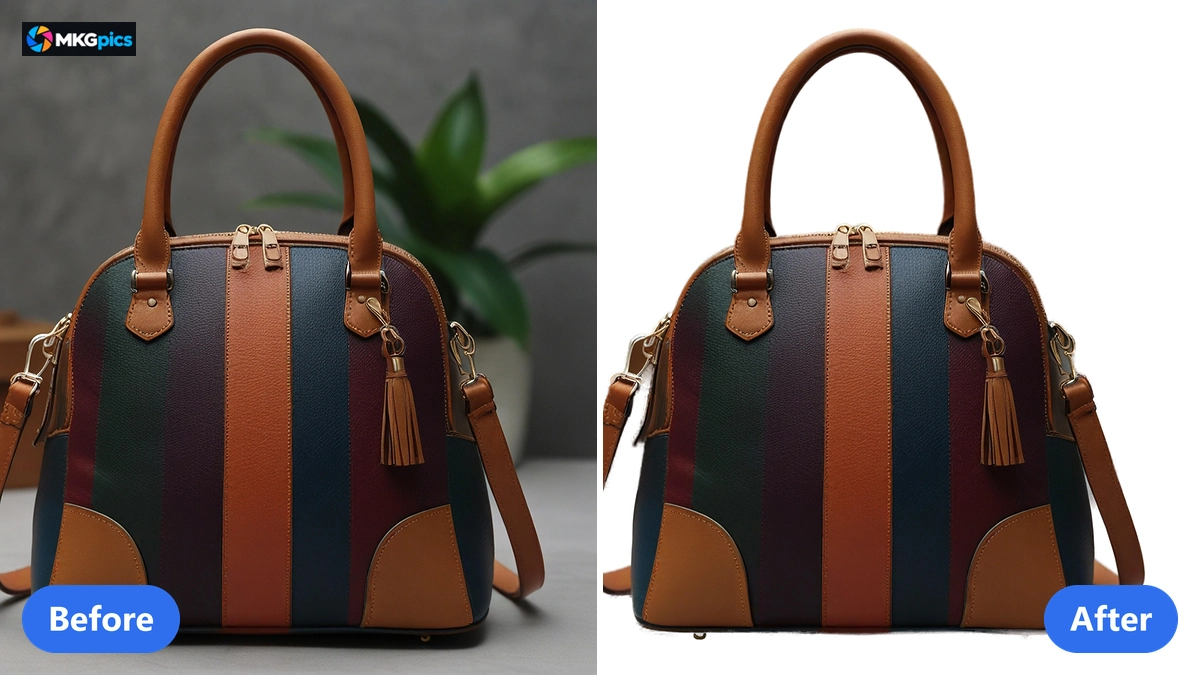
Before and after with the bulk background remover AI, whole folders are cut out in one run.
Start a Bulk Run in Three Steps
Add images, pick the output folder, press start: a whole folder needs nothing more.
Add images opens a dialog. Once you pick one photo, the program asks whether to load the whole folder, and after a yes all photos stand in file-name order with the numbers in the right sequence: image 2 comes before image 10.
Profile, output format and output folder come next. The Standard profile with PNG with transparency is a sensible start for the bulk background remover AI. The Start Batch Cutout button begins the run.
» Free Download Now
While it runs, you see what is happening.
The list marks the current image, the counter shows how many photos are done, and every finished image appears with original and result in the preview. A rough edge shows up early, long before the folder is finished.
When the run ends, the program tells you how many images were saved. Open output folder takes you straight to the files, and a report lists every image it skipped, with file name and reason, so only those need another look. The time a run needs depends on how powerful your PC is and how large the photos are.
How the Cutout AI Handles a Full Folder
The AI cuts the subject out and leaves the background transparent. The cutout model is a file on your PC, which is why no internet connection is needed and no photo is sent away or used for training.
The three profiles decide how strictly subject and background are separated. Standard suits people, animals and objects. Fine details keeps hair, fur and thin structures. Clean edges draws firm lines around bottles, shoes, furniture and devices.
Alpha matting is active in every profile. It works out for each edge pixel how much belongs to the subject and how much to the background, which avoids the bright fringe that simple cutouts leave behind.
Crop to object trims away the empty area around the subject. The padding starts at 20 pixels, so the subject does not touch the image border. With cropping switched off, every result keeps the size of its original. Because these settings apply to the whole run, the bulk background remover AI gives an entire series the same look.
Who Saves Time with Bulk Background Removal
The program serves everyone who has to separate many photos from their background at once.
Everything is calculated on your PC. Agencies, schools and offices can process pictures of customers, students and staff without uploading them, and shop owners keep their product images on their own machine.
- Online sellers cut product images out of the warehouse and prepare them as a collection for shop and marketplace.
- Photographers deliver portraits and product series as finished cutouts after a shoot.
- Agencies process customer image stocks in one pass instead of long sessions.
- Catalog designers need hundreds of subjects in front of a uniform background.
- Clubs, schools and offices give member photos and ID pictures the same background.
- Beginners reach a result with the default setting, hobby photographers, professionals and designers set profile, crop and background color themselves.
Settings That Keep a Whole Series Uniform
A batch only pays off when the first image and the last one look like they belong together.
Profile, output format, background color and padding apply to every image of the run, which is why a hundred product images look like one series. A different kind of subject needs another profile and its own run.
During the work the counter, the marker in the list and the preview with original and result show whether the setting fits. If a profile goes wrong, press Cancel after the current image, change the profile and start again. Photos that are already finished remain in the output folder.
The originals stay safe. The folder with the originals is refused as output folder, and every result is saved as a new file with the suffix _cutout, so a run never overwrites a photo.
And the bill stays the same: a folder of ten photos and a folder of ten thousand cost nothing beyond the free download. There is no subscription and no cloud.
Product Catalogs, Portrait Series and Archives
From the product catalog to the staff photo, one run saves hours that would otherwise go into cutting out by hand.
In online retail the product images of a range go into the list. The Clean edges profile separates bottles, shoes and devices, and the results lie in the output folder as PNG with transparency or as JPG on white, ready for shop, marketplace and catalog. If the product images are needed larger afterwards, use the batch AI photo upscaler.
» Download the AI Batch Background Remover
In the studio, portrait series go into the list. The Fine details profile keeps hair and fabric edges, the background color of the JPG output creates a uniform look, and cropping to the object gives all images the same framing. Further steps such as sharpening or noise removal are offered by the AI image editor.
Archives, schools and offices prepare image collections for directories. Staff, student and member photos receive the same background, the list keeps the order of the file names, and the report at the end names every image that was not processed. Single subjects with mask editor and image composite are handled by the AI background remover.
Answers About Bulk Background Remover AI
How do I remove the background from multiple images at once?
Add images or a whole folder, choose profile and output format, set the output folder and start the batch. Every image is processed in list order and saved as a new file in the output folder.
What does it cost to use?
Nothing beyond the free PC download: no subscription, no running costs.
Is an internet connection required?
No. The AI is calculated on your own computer, so no photo is uploaded.
Which output formats and background colors are available?
PNG keeps the background transparent, JPG fills it with the color you choose, white by default. The color applies to all images of the run.
Which files can I put into the list?
PNG, JPG, JPEG, WebP and BMP go in. PNG with transparency or JPG with background color come out.
Does it cut out hair and fur cleanly?
The Fine details profile keeps thin structures, and alpha matting calculates soft transitions at the edges.
|
|
