AI Colorize Black and White Photos in One Click on Your Own PC
Gray becomes color: MKGpics AI PHOTO COLORIZER works as an AI photo colorizer that adds color to a scan in a few clicks, and the original stays untouched.
MKGpics AI PHOTO COLORIZER is a program for the PC. The AI that colors your black and white photos runs on your own computer: open the photo, choose the render size, colorize, save. There is no subscription and there are no running costs.

Going from black and white to color takes one click. Open photo loads the scan, Colorize photo starts the AI, and the AI paints sky, skin, clothing and grass while the brightness and drawing of the original stay in place.
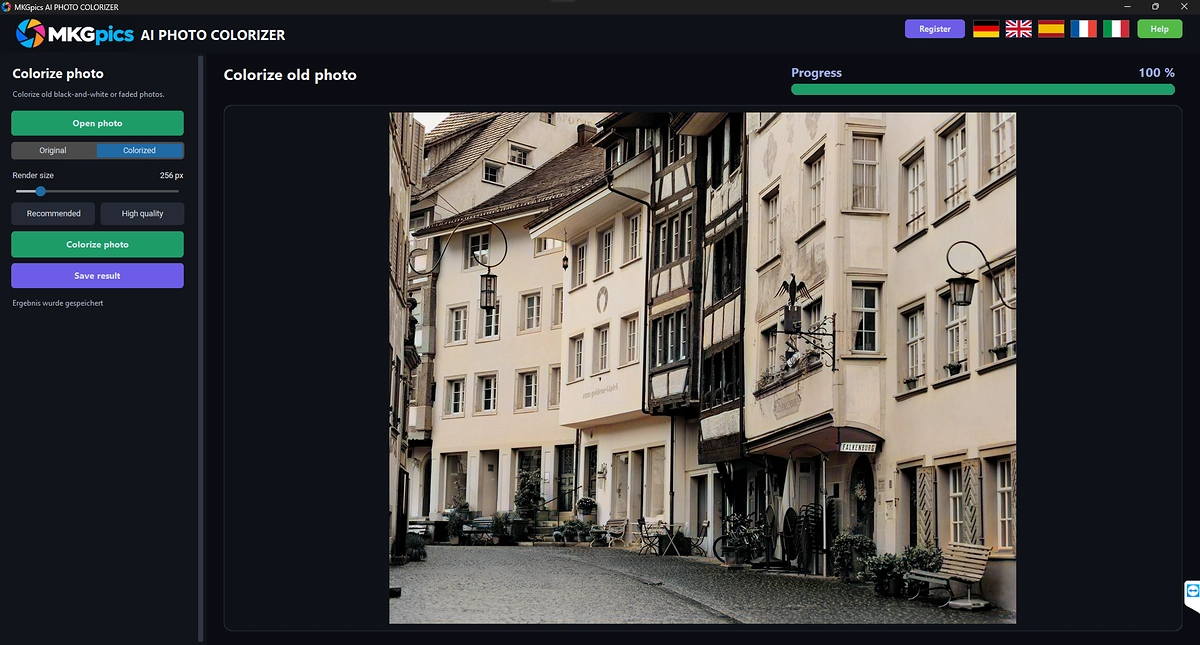
AI photo colorizer with a switch between original and colorized.
Main Functions of the AI Photo Colorizer
- Opens PNG, JPG, JPEG, WebP and BMP
- Colors old black and white shots and faded photos with one click
- Switch between Original and Colorized, the view changes without a new calculation
- Render size selectable, with the quick choices Recommended and High quality
- Recommended calculates with 256 pixels, High quality with 512 pixels
- Progress bar and status message during the calculation
- Brightness and drawing of the original stay in place, the AI delivers only the color
- The result has the same size as the original photo
- Saving as PNG, JPG or WebP
- File names end with the suffix _colorized
- The original image is never overwritten
- Interface languages: German, English, Spanish, French and Italian
- Python AI libraries on your PC add the color, without any AI costs
- Your scans never leave the computer
- Subscription-free, with no running costs
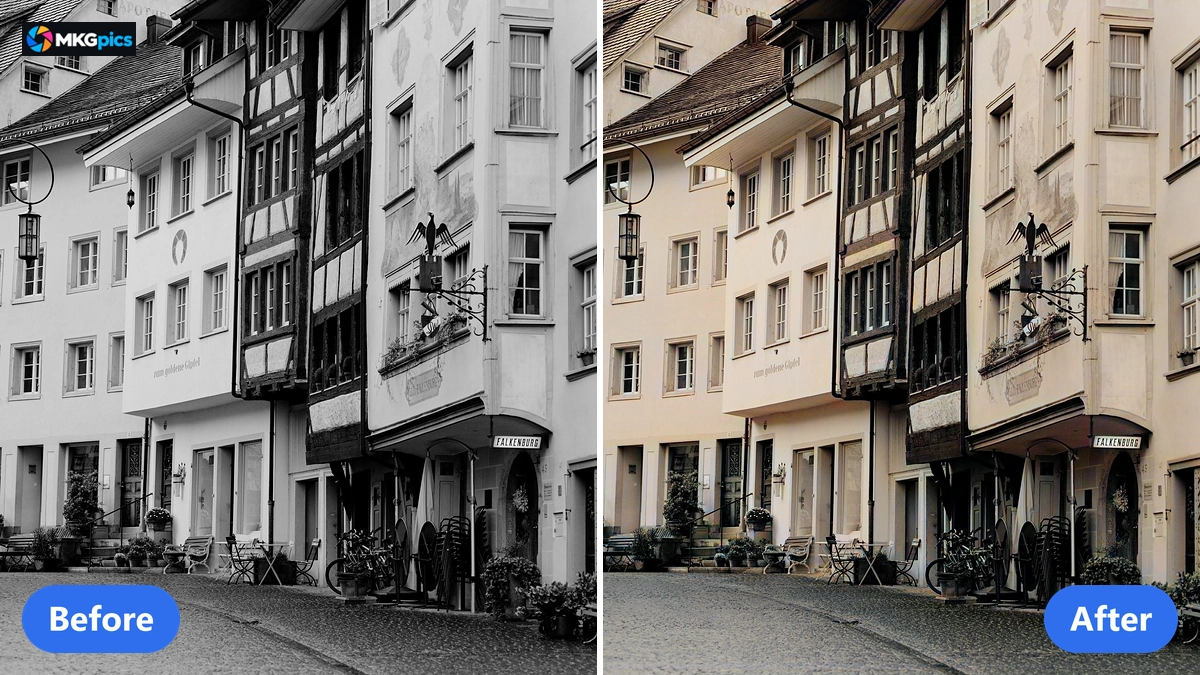
Before and after when you colorize black and white photos, the AI adds only the color.
Colorize Black and White Photos Step by Step
Open the photo, choose the render size, colorize, save: a gray scan needs nothing more.
Open photo loads the shot into the program, and the view shows the original. To add color to a black and white scan, click Colorize photo. The preset Recommended suits most shots, and the colorized photo keeps the size of the original.
The progress bar shows the state during the calculation. Afterwards the switch changes between Original and Colorized, so gray and color compare in the same section of the image.
» Download Now for Free
Saving is the last step.
Save result writes a new file as PNG, JPG or WebP, and the name ends with _colorized. The program does not accept the file name of the original, so the original photo stays untouched.
If you want finer color, choose High quality and run the colorizing once more. The render size can also be set freely between small and large, and larger values take longer to calculate, depending on the power of your PC.
How the AI Picks Colors for Old Photos
The AI reads the photo as a gray image and estimates a fitting color for every spot. The model is stored as a file on your PC, so no internet connection is needed, and no photo is uploaded or used to train a model.
The render size sets the resolution the AI calculates with. Recommended brings the color quickly, High quality spreads it more finely. The color is then brought to the full size of the original, and the brightness still comes from your own photo, which keeps sharpness, contrast and grain of the shot.
Colorizing old photos is the core job of the program. The color estimate rests on what the AI recognizes in faces, sky, plants and fabrics, so the colors are a plausible assumption and no proof of the real color back then.
The colorizer works best with portraits, landscapes and street scenes. Skin, sky and grass take on natural tones, while objects such as a dress or a car receive colors that nobody can check anymore.
If a scan has scratches or noise, they stay: the program adds color and leaves the brightness data of the original unchanged. Faded photos are accepted as well.
Who Colorizes Old Photos with AI
The program serves everyone who wants to give old shots color.
Because the work happens on your PC, archives, schools and clubs can handle pictures of people without uploading them, and private users keep their memory photos at home.
- Hobby photographers color shots from an estate.
- Family researchers give portraits of ancestors color.
- Local history clubs and archives show historical pictures in color.
- Teachers and authors illustrate lessons and books with colorized shots.
- Designers and professionals use the color version as a template for retouching and layout.
- Beginners reach the result with the preset, whoever wants more detail chooses High quality.
Natural Color Starts with a Sharp Original
Good color looks natural and takes nothing from the drawing of the photo.
Natural color arises when the AI recognizes skin, sky and plants with confidence. Sharp, high-contrast originals help for that reason. The more structure the photo shows, the steadier the color turns out.
The drawing matters as well. The program takes the brightness from the original and calculates only the color. Fine lines, faces and lettering stay sharp, and the result keeps the size of the original.
Your original stays safe: every result is saved as a new file with the suffix _colorized, and the switch shows original and result in turn at any moment.
There is nothing to renew. No subscription, no cloud, and a single memory photo uses the same free program as a whole album.
Archive, Family Album and Studio Jobs
From memory photo to archive picture, the AI saves the hours that otherwise go into hand coloring.
Archives hold portraits, street views and group pictures in gray. The AI adds the color with one click, and the switch shows original and result in the same section. Archives that colorize black and white photos use the result for exhibitions, chronicles and websites.
» AI Photo Colorizer Program Download
At home the AI brings photos of grandparents, weddings and holidays back into the album. Scan the yellowed print, load it with Open photo and save it in color as PNG or JPG. Whole folders of scans go through the batch AI image colorizer.
In the studio the colorized file serves as a starting point. Retouching, cropping and layout follow in the image editor, and the color comes from the AI. Retouching, cropping and layout are also possible in the AI image editor.
Quick Answers on Colorizing Black and White Photos
How do I colorize a black and white photo with AI?
Load the shot with Open photo, choose the render size and click Colorize photo. The AI colors the image, the switch shows Original and Colorized, and Save result writes the file.
Is there a subscription or a fee?
No subscription is needed and no running costs arise. The program is a free download for the PC.
Does my photo leave the computer?
No. The whole AI calculation runs on your own PC, and the photo stays where it is.
Are the colors real?
The AI estimates the colors from what it recognizes in the image. They look natural, but they are no reconstruction of the real colors back then.
Which quality setting is best?
Recommended delivers quick results for most photos. High quality calculates longer and spreads the color more finely.
Which formats can I open and save?
PNG, JPG, JPEG, WebP and BMP open in the program. Saving works as PNG, JPG or WebP.
|
|
